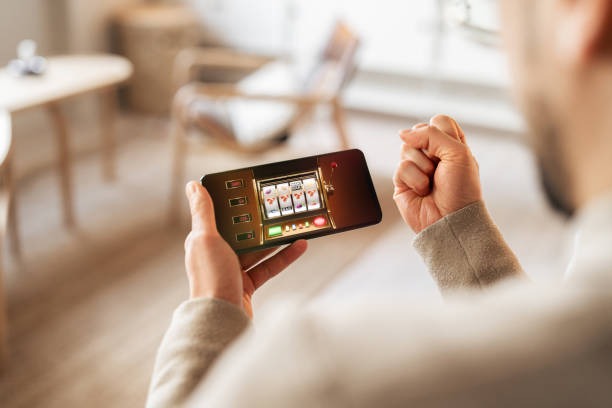
Installation Paths for joro toto
We at joro toto provide three main ways to access our platform on mobile devices. Android users can download our APK directly from our website and install it on their device. iOS users access joro toto through Safari or Chrome, which functions as a progressive web app with offline caching and push notifications. Web users on desktop or tablet can also use the same browser-based interface. All three paths connect to the same account, payment methods, and market data.
Service availability on joro toto
Our mobile app is available only in jurisdictions where local law permits online gaming and sports betting. Users are responsible for verifying that access complies with their own jurisdiction's law.
Android APK Installation
Android users can download the joro toto APK from our website. Before installation, enable "Unknown sources" in your device settings to allow installation from sources outside the Google Play Store. Once enabled, download the APK file, tap it to begin installation, and follow the on-screen prompts. The app will request permissions for notifications, camera access (for account verification), and storage. Grant these permissions to use all features. Installation typically takes subject to verification on a standard connection.
iOS Browser Access
iOS users access joro toto through Safari or Chrome. Navigate to our website, tap the share button, and select "Add to Home Screen." This creates a shortcut that opens joro toto in full-screen mode, mimicking a native app experience. The browser-based app caches game data and market information locally, so you can view your account and recent transactions even without an active internet connection. Push notifications alert you to withdrawal confirmations, deposit receipts, and market updates.
Web Access
Desktop and tablet users can access joro toto directly through any modern web browser. No installation is required. Simply visit our website, log in with your username or email, and navigate to football markets, live-dealer tables, or slot games. Web access offers the same account security, payment options, and market coverage as the mobile app.

Getting Started with joro toto
-
1
Download the app or open your browserStep 1
Android users download the APK; iOS users open Safari; web users navigate to our site.
-
2
Create your account or log inStep 2
New users register with email, username, password, and mobile number; existing users enter credentials.
-
3
Complete identity verificationStep 3
Upload a photo ID and take a selfie for KYC verification; this typically takes subject to verification.
-
4
Deposit and start playingStep 4
Choose a payment method (DANA, e-wallet, mobile banking, or bank transfer), deposit funds, and access markets.
App vs. Browser: Strengths of Each
The joro toto Android app offers offline caching, which lets you view your account balance and recent transactions without an active internet connection. Push notifications alert you immediately to withdrawal confirmations, deposit receipts, and market updates. The app also loads faster on slower connections because it stores game assets locally. However, the app requires periodic updates to add new games and security patches. The browser-based experience works on any device without installation, updates automatically, and requires no storage space. Both paths provide the same account security, two-factor authentication, and access to Liga 1, Piala AFF, and Champions League markets.

Device Compatibility and Requirements
We at joro toto support Android 7.0 and later on phones and tablets. iOS users need iOS 12.0 or later to access our browser-based app. Desktop users require a modern browser such as Chrome, Firefox, Safari, or Edge from the last two years. Older devices or browsers may experience slow loading or missing features. If you encounter compatibility issues, update your device's operating system or browser to the latest version. Our support team can assist with device-specific questions.
Troubleshooting Common Installation Issues
Android users who see "Installation blocked" must enable "Unknown sources" in Settings > Security. Some devices also require you to trust the certificate used to sign the APK; this is a standard security check and does not indicate a problem. If the APK fails to download, check your internet connection and try again. iOS users who cannot add joro toto to their home screen should ensure they are using Safari (not Chrome) and that their device has at least 50 MB of free storage. Web users experiencing slow loading should clear their browser cache and cookies, then refresh the page. If problems persist, contact our support team for assistance.
We at joro toto prioritise mobile security and speed—every installation path includes encryption, account verification, and withdrawal protection.
Data, Permissions, and Account Security
The joro toto app requests permissions for notifications, camera (for identity verification), and storage (for offline caching). We do not access your camera, contacts, or location without your explicit consent. All data transmitted between your device and our servers is encrypted using industry-standard TLS protocols. Your password is never stored on your device; instead, we use secure session tokens that expire after a period of inactivity. Two-factor authentication adds an extra layer of protection to your account. When you log out or close the app, your session ends and your data is cleared from the device cache. For detailed information about how we handle your data, see our Privacy policy